

Last Updated on January 29, 2026 by velocitygamer
How to convert Zip, RAR, 7z files to ISO CSO files for your gaming on Emulators or other gaming platforms? Actually, this is mainly for those who can’t carry out the decompression.
Games like PES 2026 for PPSSPP come in a compressed format, and many users, after downloading, find it hard to convert the downloaded zip, 7z, rar to iso or any other format. This is a basic step in setting up your game.
These file formats are also known as compressed formats. It helps us keep all the files in one location, saving storage and reducing upload size. So when you download and extract, it returns to its normal size, and you can enjoy the likes of FIFA 2026 iso on your Android device without hitches.
The demand has been coming really; many people who already know how to go about this may not find it interesting. It is really easy, and if you don’t know how to do it, then you are on track. This tutorial explains everything you need to know.
Interestingly, it works for all ZIP, 7z, RAR files, especially those uploaded to TheVelocityGamer. So quickly, below are a few requirements to make this work, and I show you how to convert RAR to iso for PSP.
Requirement
- ZArchiver
- PPSSPP Emulator
- Your Downloaded File
| Features | Description |
| App Name | ZArchiver |
| Version | 1.0.10 |
| Size | 4.9MB |
| Genre | Utility |
| Requires | Android 6+ |
| Last Updated | June 29, 2024 |
Key Features of ZArchiver
- Handles Every File Format: Whether it’s a standard ZIP, a 7z, or a RAR file, ZArchiver opens and creates them all without breaking a sweat.
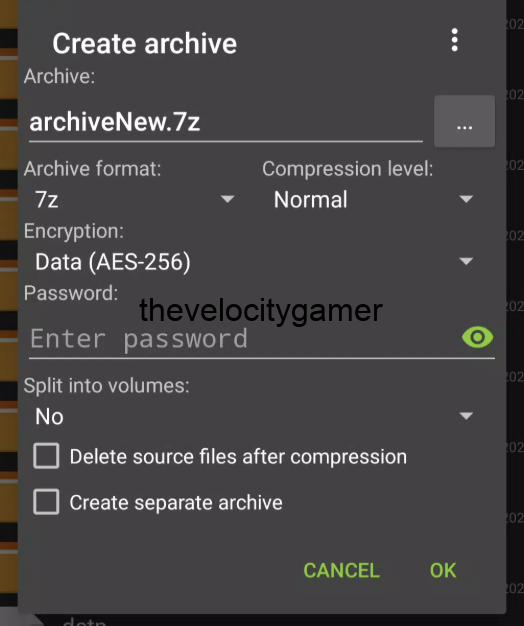
- Browse Through Content Without Extracting: You can browse the contents of an archive without actually extracting it. It’s a huge time saver if you’re just looking for one specific photo or document.
- Add New Files to ZIP: Need to add a file to an existing ZIP? You can do it directly inside the app without unzipping the whole thing first.
- Solid Security: If you’re sending sensitive info, you can lock your files with AES-256 encryption and password protection.
- It’s clean, it’s fast, and it doesn’t clutter your screen with junk. If you need to organise your digital life or send large batches of files securely, ZArchiver is the most reliable “Swiss Army knife” for your file system.
How to Convert RAR to ISO
- Firstly, Download ZArchiever from the LINk below
Download ZArchiver - Also, download your RAR File from whatever source. Make sure it’s secured
- Open your RAR file in Zarchiver by right-clicking it and selecting “Open with > Zarchiver”. Zarchiver will start up, and a new window will display the software interface along with the contents of the RAR file.
- Click on the “Extract to” button at the top of the Zarchiver interface. A new window will appear, titled “Extraction Path and Options”.
- Select your extraction path by either typing it in the top text box or clicking the directory (on the right-side browser pane) you want to unzip the files into. Click on the “OK” button to extract your RAR file to your specified location.
How to Convert ZIP to ISO
The method is Very Similar to the first. Just repeat the same process for the first one, and you should have your files.
Once converted, open your PPSSPP Emulator and select the ISO file from the extracted location and enjoy gaming to the fullest.
Do share, and make sure you subscribe to our posts via email to get the latest information for free today.

